

TheBankTodayTheBankTodayTheBankToday
Notification Show More
Font ResizerAa
  • Home
  • Banking
  • SBI
  • ATM Card
  • NEFT/UPI
  • Central Bank
  • Important
Reading: PF Money Stuck without Aadhaar Link
Share
Font ResizerAa
TheBankTodayTheBankToday
  • Home
  • Banking
  • SBI
  • ATM Card
  • NEFT/UPI
  • Central Bank
  • Important
Search
  • Home
  • Banking
  • SBI
  • ATM Card
  • NEFT/UPI
  • Central Bank
  • Important
Have an existing account? Sign In
Follow US

Home » EPF

epfo2 result
EPF

PF Money Stuck without Aadhaar Link

Takendra Verma
Last updated: 23/04/2026 2:12 PM
Takendra Verma
Published: 23/04/2026
Share
SHARE

If you have a Provident Fund (PF) account, this update is very important for you.

Contents
Why Aadhaar KYC Is So ImportantUpdate KYC From Home in MinutesHow Long Does Verification Take?Documents You Must Keep ReadyHow to Check Your KYC StatusWhat Happens If You Don’t Update KYC?Final Takeaway

The Employees’ Provident Fund Organisation (EPFO) has made it clear that Aadhaar-based KYC is now essential.

Without it, you may face trouble withdrawing or transferring your PF money.

Why Aadhaar KYC Is So Important

Your PF account is not just a savings tool—it is also your emergency financial backup.

But if your KYC details are not updated, your account can become restricted.

EPFO requires key documents like Aadhaar, PAN, and bank details to be verified.

Without this verification, your PF services may not work properly.

In simple terms, no KYC means limited access to your own money.

Update KYC From Home in Minutes

The good news is that you don’t need to visit any office.

You can complete the entire KYC process online using your mobile or laptop.

Here’s how it works:

Visit the EPFO Member e-Sewa portal

Log in using your UAN and password

Go to the “Manage” section and select “KYC”

Add your Aadhaar, PAN, and bank details

Enter correct bank account number and IFSC code

Verify with OTP sent to your Aadhaar-linked mobile

Once submitted, your details go to your employer for approval.

How Long Does Verification Take?

KYC verification is not instant.

It usually takes 1 to 7 days depending on employer approval and EPFO processing.

Once approved, you will receive an SMS confirmation, and your status will show as “Verified” on the portal.

Documents You Must Keep Ready

Before updating your KYC, make sure you have:

Aadhaar card

PAN card

Bank account details

Aadhaar-linked mobile number

All details must match exactly.

Even small mismatches can lead to rejection.

How to Check Your KYC Status

After submitting your details, you can track the status online.

Log in to the EPFO portal

Go to the “Manage” section

Open “KYC”

Check “Digitally Approved KYC” status

This will show whether your KYC is approved or still pending.

What Happens If You Don’t Update KYC?

Not updating your KYC can create serious issues.

PF withdrawal requests may get rejected

Fund transfers can get delayed

Bank verification issues may freeze your money

Tax-related complications may arise

In short, without KYC, your PF account becomes partially inactive.

Final Takeaway

Updating your PF KYC is no longer optional—it is essential.

The process is simple, fully online, and takes only a few minutes.

But ignoring it can block access to your own savings when you need them the most.

You Might Also Like

EPFO Introduces New EDLI Rules
EPFO Portal Services to Start Again from July 1
EPFO Launches Simple Online Process to Update PF Records
EPFO Members to get PF Updates Through WhatsApp AI Bot
EPFO Issues Key Guidelines for Private PF Trust Companies
Share This Article
Facebook Email Print
Leave a Comment

Leave a Reply Cancel reply

Your email address will not be published. Required fields are marked *

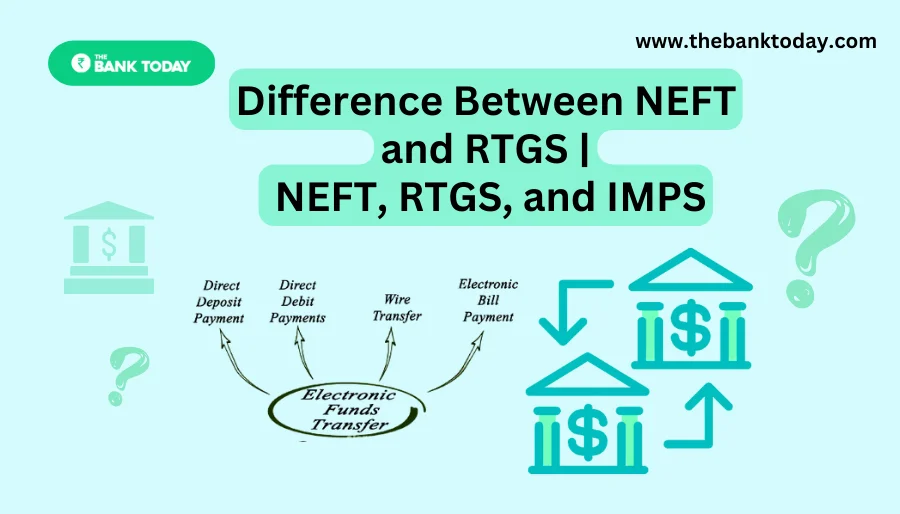
Difference Between NEFT and RTGS

Get Banking Updates

Important banking and money updates, delivered without the clutter.
Thank you! Please check your inbox to confirm your subscription.
Popular Updates
SBI Asha Scholarship
SBI Asha Scholarship 2023: विद्यार्थियों को मिल रही 5 लाख की स्कॉलरशिप
31/07/2023
fd
RBI Changes FD Interest Rate Rules From October 1
22/09/2026
How to register YONO SBI
How to register YONO SBI in Just 5 minutes
11/05/2023
check balance from SBI ATM
How to check Balance from SBI ATM?
30/07/2023
How to check Balance in SBI
How to check Balance in SBI in 2023?
18/02/2023

Tags

  • Central Bank Of India
  • Pan Card
  • register mobile number
  • pan card new rule
  • Banking Service
  • HDFC
  • SBI Personal Loan
  • Net Banking
  • Activate Net Banking
  • What is Bank?

TheBankToday

TheBankToday publishes practical banking, personal-finance and financial-news explainers to help readers understand important updates and services.
Quick Links
  • About
  • Contact Us
  • Disclaimer
  • Join Us
  • T&C
  • Privacy Policy
  • Customize Interests
Important Links
  • Advertise With Us
  • Advertising Policy
  • Cookie Policy
  • Corrections Policy
  • Editorial Policy
  • Fact-Checking Policy
  • Grievance Redressal

Subscribe Us

Subscribe to our newsletter to get our newest articles instantly!

Thank you! Please check your inbox to confirm your subscription.
© 2026 TheBankToday. All Rights Reserved.
Welcome Back!

Sign in to your account

Username or Email Address
Password

Lost your password?