


TheBankTodayTheBankTodayTheBankToday
Notification Show More
Font ResizerAa
  • Home
  • Banking
  • SBI
  • ATM Card
  • NEFT/UPI
  • Central Bank
  • Important
Reading: Paytm launches UPI Lite Auto Top-Up Feature
Share
Font ResizerAa
TheBankTodayTheBankToday
  • Home
  • Banking
  • SBI
  • ATM Card
  • NEFT/UPI
  • Central Bank
  • Important
Search
  • Home
  • Banking
  • SBI
  • ATM Card
  • NEFT/UPI
  • Central Bank
  • Important
Have an existing account? Sign In
Follow US

Home » NEFT/UPI

Paytm Logo img
NEFT/UPI

Paytm launches UPI Lite Auto Top-Up Feature

Takendra Verma
Last updated: 25/11/2024 2:36 PM
Takendra Verma
Published: 25/11/2024
Share
SHARE

In India, most people now use UPI for payments. To make this even more convenient, Paytm has introduced a new feature called the UPI Lite Auto Top-Up.

Contents
How Does Paytm’s Auto Top-Up Work?Ideal for Small PaymentsHow to Enable Paytm UPI Lite Auto Top-UpTo activate this featureWhat is UPI Lite?

This feature is designed to simplify everyday microtransactions. With it, users can set a balance limit for their UPI Lite wallet.

When the wallet balance falls below the set limit, it will be automatically recharged from the linked bank account, and no PIN is required for the process.

How Does Paytm’s Auto Top-Up Work?

With the auto top-up feature, users can set a minimum balance for their Paytm UPI Lite wallet.

When the wallet balance drops below this limit, Paytm will automatically transfer funds from the linked bank account to the wallet. The recharge amount can go up to Rs 500 at a time.

For example, if a user sets a limit of Rs 100, the wallet will reload whenever the balance falls below Rs 100. Users can choose the reload amount, but it is capped at Rs 2,000 per transaction, and a maximum of five top-ups are allowed in one day.

This feature is currently available only for Paytm UPI Lite users linked with Yes Bank and Axis Bank UPI handles. Other partner banks like SBI and HDFC Bank are expected to offer this service soon.

Ideal for Small Payments

The UPI Lite auto top-up feature is perfect for small-value payments. Whether you’re recharging a metro card, paying for an auto ride, or grabbing tea, coffee, or breakfast, you don’t need to worry about running out of wallet balance.

The automatic top-up ensures that your wallet is always funded for these everyday transactions.

How to Enable Paytm UPI Lite Auto Top-Up

To activate this feature

1) Open the Paytm app and enable UPI Lite by linking your bank account.

2) Select the option for automatic top-ups.

3) Set the minimum wallet balance limit for auto top-up.

What is UPI Lite?

UPI Lite, introduced by the National Payments Corporation of India (NPCI), enables small-value payments directly from an on-device wallet linked to your bank account.

With UPI Lite, users can make payments of less than Rs 500 without needing an OTP or PIN. The wallet can hold up to Rs 2,000, and users can spend up to Rs 2,000 per day.


You Might Also Like

RBI Increases UPI Lite Wallet and Transaction Limits
Delhi High Court Orders Paytm Payments Bank Closure
How to Activate Net Banking in 2023
New UPI Lite Rules Take Effect in November
What are the Precautions For Internet Banking in 2023
Share This Article
Facebook Email Print
Leave a Comment

Leave a Reply Cancel reply

Your email address will not be published. Required fields are marked *

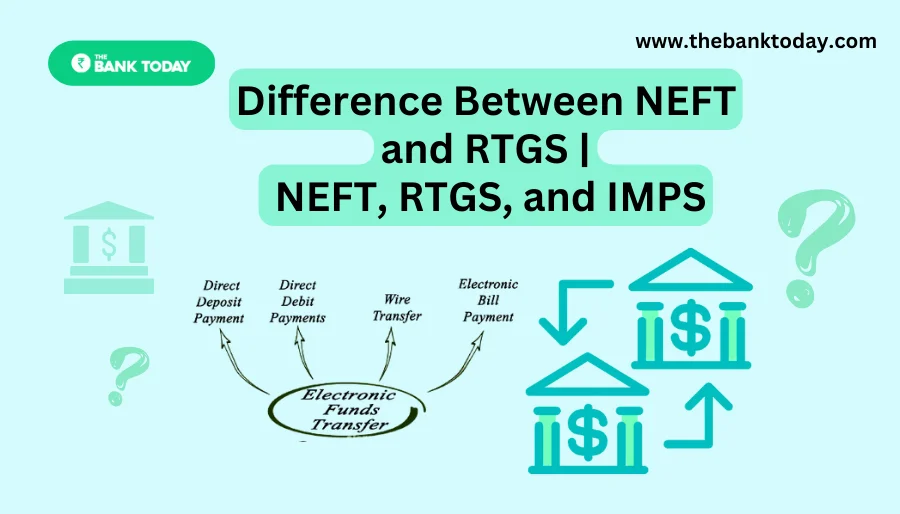
Difference Between NEFT and RTGS

Get Banking Updates

Important banking and money updates, delivered without the clutter.
Thank you! Please check your inbox to confirm your subscription.
Popular Updates
SBI Asha Scholarship
SBI Asha Scholarship 2023: विद्यार्थियों को मिल रही 5 लाख की स्कॉलरशिप
31/07/2023
fd
RBI Changes FD Interest Rate Rules From October 1
22/09/2026
How to register YONO SBI
How to register YONO SBI in Just 5 minutes
11/05/2023
check balance from SBI ATM
How to check Balance from SBI ATM?
30/07/2023
How to check Balance in SBI
How to check Balance in SBI in 2023?
18/02/2023

Tags

  • Central Bank Of India
  • Pan Card
  • register mobile number
  • pan card new rule
  • Banking Service
  • HDFC
  • SBI Personal Loan
  • Net Banking
  • Activate Net Banking
  • What is Bank?

TheBankToday

TheBankToday publishes practical banking, personal-finance and financial-news explainers to help readers understand important updates and services.
Quick Links
  • About
  • Contact Us
  • Disclaimer
  • Join Us
  • T&C
  • Privacy Policy
  • Customize Interests
Important Links
  • Advertise With Us
  • Advertising Policy
  • Cookie Policy
  • Corrections Policy
  • Editorial Policy
  • Fact-Checking Policy
  • Grievance Redressal

Subscribe Us

Subscribe to our newsletter to get our newest articles instantly!

Thank you! Please check your inbox to confirm your subscription.
© 2026 TheBankToday. All Rights Reserved.
Welcome Back!

Sign in to your account

Username or Email Address
Password

Lost your password?