

TheBankTodayTheBankTodayTheBankToday
Notification Show More
Font ResizerAa
  • Home
  • Banking
  • SBI
  • ATM Card
  • NEFT/UPI
  • Central Bank
  • Important
Reading: How to change Mobile number linked to Aadhaar card from home
Share
Font ResizerAa
TheBankTodayTheBankToday
  • Home
  • Banking
  • SBI
  • ATM Card
  • NEFT/UPI
  • Central Bank
  • Important
Search
  • Home
  • Banking
  • SBI
  • ATM Card
  • NEFT/UPI
  • Central Bank
  • Important
Have an existing account? Sign In
Follow US

Home » Important

aadhar card
Important

How to change Mobile number linked to Aadhaar card from home

Takendra Verma
Last updated: 14/03/2026 12:54 PM
Takendra Verma
Published: 14/03/2026
Share
SHARE

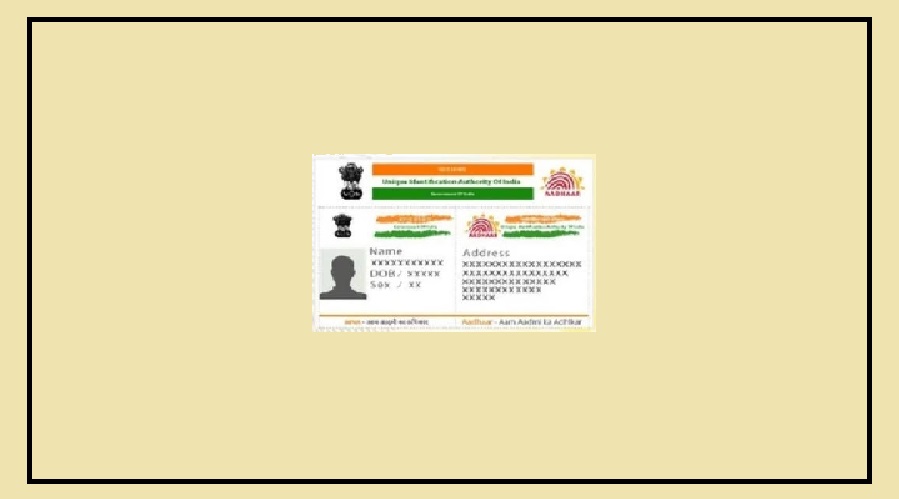
The Aadhaar card has become one of the most important identity documents in India.

It is required for many services, from opening a bank account to receiving benefits from government schemes.

Because of this, it is very important that the information in your Aadhaar record is always correct and updated.

One of the most important details linked to Aadhaar is your mobile number.

Many services send an OTP (One-Time Password) to the registered mobile number for verification.

If your number changes or becomes inactive, you may face problems using these services.

The good news is that you can now update your mobile number easily from home using the new Aadhaar mobile app.

Update Your Aadhaar Mobile Number from Home

The new mobile application launched by the Unique Identification Authority of India allows users to update their Aadhaar-linked mobile number without visiting an Aadhaar service center.

To update your mobile number through the app, follow these simple steps:

First, open the new Aadhaar mobile app on your smartphone.

Log in using Aadhaar-based authentication.

After logging in, go to the “Services” section on the homepage.

In this section, you will find several options, including the feature to update your mobile number.

Click on the mobile number update option.

The app will show the mobile number currently linked with your Aadhaar.

Now enter the new mobile number that you want to link with your Aadhaar.

After entering the number, an OTP will be sent to the new mobile number

 Enter the OTP in the app to verify it.

Once the OTP is verified successfully, your request to update the mobile number will be sent to the Unique Identification Authority of India for processing.

Fee and Time Required for the Update

Updating your mobile number or address through the Aadhaar app involves a small service charge of around ₹75.

After submitting the request, it usually takes 10 to 15 days for the updated information to appear in your Aadhaar record.

In some cases, it may take slightly longer depending on verification.

The good part is that you can easily check the status of your update request directly through the Aadhaar app, so you always know the progress of your request.


You Might Also Like

Knack Packaging IPO Allotment Today
Zerodha Fund House launches Gold ETF Fund
ITR Refund Tips after Revised filing Window Closes
Mumbai CNG Now Costs ₹86 Per Kg
e-Filing Portal activates ITR-1 and ITR-4 Utilities
Share This Article
Facebook Email Print
Leave a Comment

Leave a Reply Cancel reply

Your email address will not be published. Required fields are marked *

Difference Between NEFT and RTGS

Get Banking Updates

Important banking and money updates, delivered without the clutter.
Thank you! Please check your inbox to confirm your subscription.
Popular Updates
SBI Asha Scholarship
SBI Asha Scholarship 2023: विद्यार्थियों को मिल रही 5 लाख की स्कॉलरशिप
31/07/2023
fd
RBI Changes FD Interest Rate Rules From October 1
22/09/2026
How to register YONO SBI
How to register YONO SBI in Just 5 minutes
11/05/2023
check balance from SBI ATM
How to check Balance from SBI ATM?
30/07/2023
How to check Balance in SBI
How to check Balance in SBI in 2023?
18/02/2023

Tags

  • Central Bank Of India
  • Pan Card
  • register mobile number
  • pan card new rule
  • Banking Service
  • HDFC
  • SBI Personal Loan
  • Net Banking
  • Activate Net Banking
  • What is Bank?

TheBankToday

TheBankToday publishes practical banking, personal-finance and financial-news explainers to help readers understand important updates and services.
Quick Links
  • About
  • Contact Us
  • Disclaimer
  • Join Us
  • T&C
  • Privacy Policy
  • Customize Interests
Important Links
  • Advertise With Us
  • Advertising Policy
  • Cookie Policy
  • Corrections Policy
  • Editorial Policy
  • Fact-Checking Policy
  • Grievance Redressal

Subscribe Us

Subscribe to our newsletter to get our newest articles instantly!

Thank you! Please check your inbox to confirm your subscription.
© 2026 TheBankToday. All Rights Reserved.
Welcome Back!

Sign in to your account

Username or Email Address
Password

Lost your password?