


TheBankTodayTheBankTodayTheBankToday
Notification Show More
Font ResizerAa
  • Home
  • Banking
  • SBI
  • ATM Card
  • NEFT/UPI
  • Central Bank
  • Important
Reading: Send Money Using UPI Without Internet
Share
Font ResizerAa
TheBankTodayTheBankToday
  • Home
  • Banking
  • SBI
  • ATM Card
  • NEFT/UPI
  • Central Bank
  • Important
Search
  • Home
  • Banking
  • SBI
  • ATM Card
  • NEFT/UPI
  • Central Bank
  • Important
Have an existing account? Sign In
Follow US

Home » NEFT/UPI

UPI Tap and Pay feature being used with an NFC-enabled smartphone and POS terminal
NEFT/UPI

Send Money Using UPI Without Internet

Takendra Verma
Last updated: 30/05/2026 2:22 PM
Takendra Verma
Published: 30/05/2026
Share
SHARE
Today, making payments through UPI apps like Google Pay, PhonePe, and Paytm has become a part of everyday life. From shopping at local stores to paying utility bills, most people depend on digital payments.

But what happens if your mobile data suddenly runs out or the network stops working while making a payment? If you are not carrying cash, the situation can become quite inconvenient.

The good news is that you can still make UPI payments without internet access.

The National Payments Corporation of India (NPCI) provides a special service that allows users to transfer money even without Wi-Fi or mobile data. This service works on both smartphones and basic feature phones.

Things You Need Before Using the Service

Before you start, make sure these three conditions are met:

Your mobile number is linked to your bank account.

UPI is already activated on that number.

Your phone has enough network signal for calls and SMS.

How to Make UPI Payments Without Internet

If your internet is not working, follow these simple steps to send money.

Step 1: Dial *99# From Your Phone

Open the dialer on your phone and enter *99#. Then press the call button.

Make sure you are using the mobile number linked to your bank account. This service is supported by most major banks in India.

Step 2: Select “Send Money”

After dialing the code, a menu will appear on your screen with options such as:

Send Money

Request Money

Check Balance

My Profile

Choose the option for “Send Money” by entering the corresponding number.

Step 3: Choose a Payment Method

Next, select how you want to send money. You can transfer funds using:

UPI ID

Mobile number

Bank account number and IFSC code

Choose the option that is most convenient for you.

Step 4: Enter Recipient Details and Amount

Now enter the recipient’s details based on the method you selected.

After that, enter the amount you want to send. Some banks may also allow you to add a short note, such as rent, groceries, or food payment.

Double-check all details carefully before moving ahead.

Step 5: Enter Your UPI PIN

In the final step, enter your UPI PIN to authorize the transaction.

Once the PIN is entered, the payment will be processed instantly. You will receive a confirmation message on your screen and through SMS after a successful transaction.

Important Things to Know

A Small Service Charge May Apply

Your telecom operator, such as Jio, Airtel, or Vi, may charge a small fee for using the *99# offline UPI service.

Available in Multiple Languages

The service supports several Indian languages in addition to English. This makes digital banking easier for people across different regions of the country.

Registered Mobile Number Must Be Active

This feature will only work if the mobile number linked to your bank account is active and able to receive network signals.

No Internet? No Problem

The *99# service is a useful backup option when mobile data or internet connectivity is unavailable.

Whether you use a smartphone or a basic keypad phone, you can continue making UPI payments quickly and securely without needing an internet connection


You Might Also Like

RBI Increases UPI Lite Wallet and Transaction Limits
What is the Difference Between Login Password And Profile Password in 2023?
NPCI Bans UPI ‘Collect Request’ to Stop Frauds
How to Create Net Banking Password in 2023
What is E-Rupi and How It Works | Best of E-Rupi in 2023
Share This Article
Facebook Email Print
Leave a Comment

Leave a Reply Cancel reply

Your email address will not be published. Required fields are marked *

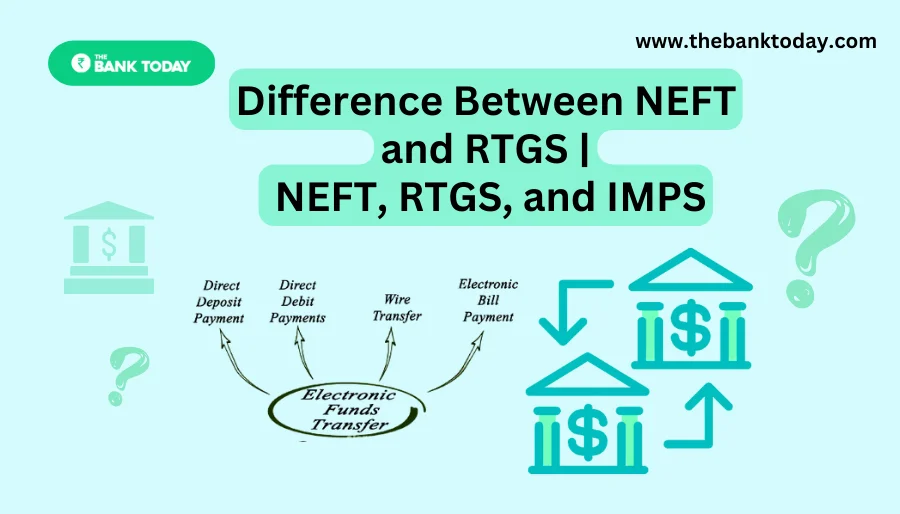
Difference Between NEFT and RTGS

Get Banking Updates

Important banking and money updates, delivered without the clutter.
Thank you! Please check your inbox to confirm your subscription.
Popular Updates
SBI Asha Scholarship
SBI Asha Scholarship 2023: विद्यार्थियों को मिल रही 5 लाख की स्कॉलरशिप
31/07/2023
fd
RBI Changes FD Interest Rate Rules From October 1
22/09/2026
How to register YONO SBI
How to register YONO SBI in Just 5 minutes
11/05/2023
check balance from SBI ATM
How to check Balance from SBI ATM?
30/07/2023
How to check Balance in SBI
How to check Balance in SBI in 2023?
18/02/2023

Tags

  • Central Bank Of India
  • Pan Card
  • register mobile number
  • pan card new rule
  • Banking Service
  • HDFC
  • SBI Personal Loan
  • Net Banking
  • Activate Net Banking
  • What is Bank?

TheBankToday

TheBankToday publishes practical banking, personal-finance and financial-news explainers to help readers understand important updates and services.
Quick Links
  • About
  • Contact Us
  • Disclaimer
  • Join Us
  • T&C
  • Privacy Policy
  • Customize Interests
Important Links
  • Advertise With Us
  • Advertising Policy
  • Cookie Policy
  • Corrections Policy
  • Editorial Policy
  • Fact-Checking Policy
  • Grievance Redressal

Subscribe Us

Subscribe to our newsletter to get our newest articles instantly!

Thank you! Please check your inbox to confirm your subscription.
© 2026 TheBankToday. All Rights Reserved.
Welcome Back!

Sign in to your account

Username or Email Address
Password

Lost your password?