


TheBankTodayTheBankTodayTheBankToday
Notification Show More
Font ResizerAa
  • Home
  • Banking
  • SBI
  • ATM Card
  • NEFT/UPI
  • Central Bank
  • Important
Reading: ICICI Bank announces Scheduled Maintenance for RTGS Transactions
Share
Font ResizerAa
TheBankTodayTheBankToday
  • Home
  • Banking
  • SBI
  • ATM Card
  • NEFT/UPI
  • Central Bank
  • Important
Search
  • Home
  • Banking
  • SBI
  • ATM Card
  • NEFT/UPI
  • Central Bank
  • Important
Have an existing account? Sign In
Follow US

Home » Banking

ICICI Bank img
Banking

ICICI Bank announces Scheduled Maintenance for RTGS Transactions

Takendra Verma
Last updated: 10/12/2024 2:41 PM
Takendra Verma
Published: 10/12/2024
Share
SHARE

ICICI Bank has announced that it will have scheduled maintenance from 11:55 pm on December 14, 2024, to 06:00 am IST on December 15, 2024.

During this time, all incoming and outgoing RTGS (Real-Time Gross Settlement) transactions will be delayed. The bank has sent this information through an e-mail alert to its customers.

What is RTGS?

RTGS, or Real-Time Gross Settlement, is an electronic system used to transfer large amounts of money between bank accounts instantly. It ensures that funds are transferred immediately, making it ideal for large transactions.

Alternative Services During Maintenance

During the maintenance period, ICICI Bank customers can use other services like NEFT, IMPS, or UPI for their transactions.

Online transactions through ICICI Bank’s iMobile or Internet Banking platforms are free. However, for transactions made at branches, there are some charges:

1) For transactions between Rs 2 lakh and Rs 5 lakh, a fee of Rs 20 + GST will apply.

2) For transactions between Rs 5 lakh and Rs 10 lakh, a fee of Rs 45 + GST will apply.

RTGS Transaction Process

To make an RTGS transfer, customers need to provide specific details, such as:

1) Transfer amount

2) Sender’s account number

3) Beneficiary’s bank and branch details

4) Beneficiary’s full name and account number

5) IFSC code of the receiving branch

Steps to Make RTGS Transfer Using ICICI Net Banking

1) Log in to your account and register the beneficiary.

2) Go to ‘Payments and Transfer’ and select ‘Funds Transfer’.

3) Click ‘Add a Payee’, then choose ‘Other Bank Payee’ as the beneficiary type.

4) Enter the beneficiary’s account details or credit card number.

5) Select the correct IFSC code by choosing the bank and branch.

6) Click ‘Add’ and then confirm.

7) Complete OTP authentication. Once successful, the beneficiary will be available for transactions.

Transaction Time Limit for RTGS

RTGS transfers are typically completed within 30 minutes after being initiated. Additionally, customers can schedule RTGS transactions up to 3 working days in advance.


You Might Also Like

RBI launches One-Year Incentive Scheme for Inactive Accounts
Bank of India hikes Fixed Deposit Rates (Check New Returns)
RBI mandates Refund within 5 days
These Banks offer 8% FD Interest for Senior Citizens
Banks to Remain Shut for 2 days on Holi
Share This Article
Facebook Email Print
Leave a Comment

Leave a Reply Cancel reply

Your email address will not be published. Required fields are marked *

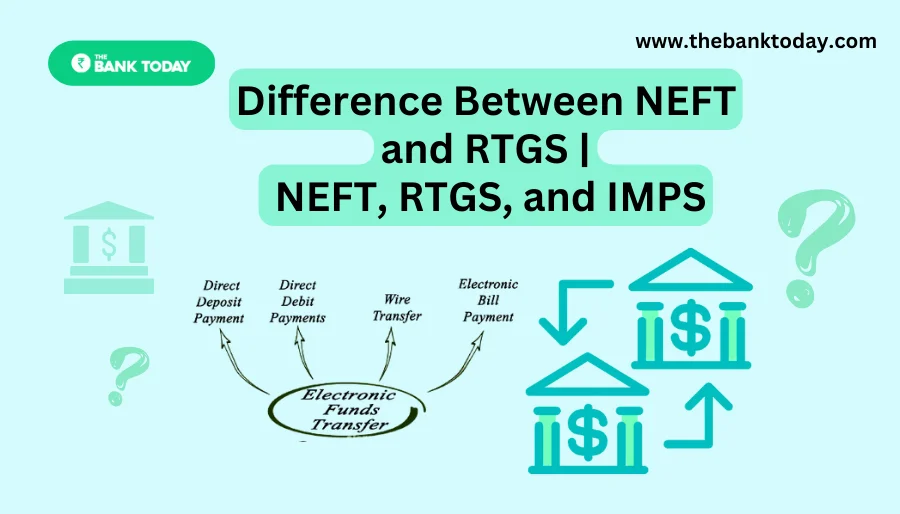
Difference Between NEFT and RTGS

Get Banking Updates

Important banking and money updates, delivered without the clutter.
Thank you! Please check your inbox to confirm your subscription.
Popular Updates
SBI Asha Scholarship
SBI Asha Scholarship 2023: विद्यार्थियों को मिल रही 5 लाख की स्कॉलरशिप
31/07/2023
fd
RBI Changes FD Interest Rate Rules From October 1
22/09/2026
How to register YONO SBI
How to register YONO SBI in Just 5 minutes
11/05/2023
check balance from SBI ATM
How to check Balance from SBI ATM?
30/07/2023
How to check Balance in SBI
How to check Balance in SBI in 2023?
18/02/2023

Tags

  • Central Bank Of India
  • Pan Card
  • register mobile number
  • pan card new rule
  • Banking Service
  • HDFC
  • SBI Personal Loan
  • Net Banking
  • Activate Net Banking
  • What is Bank?

TheBankToday

TheBankToday publishes practical banking, personal-finance and financial-news explainers to help readers understand important updates and services.
Quick Links
  • About
  • Contact Us
  • Disclaimer
  • Join Us
  • T&C
  • Privacy Policy
  • Customize Interests
Important Links
  • Advertise With Us
  • Advertising Policy
  • Cookie Policy
  • Corrections Policy
  • Editorial Policy
  • Fact-Checking Policy
  • Grievance Redressal

Subscribe Us

Subscribe to our newsletter to get our newest articles instantly!

Thank you! Please check your inbox to confirm your subscription.
© 2026 TheBankToday. All Rights Reserved.
Welcome Back!

Sign in to your account

Username or Email Address
Password

Lost your password?